

Introduction
Choosing a hosting plan can be confusing when several options offer different features, prices, and levels of performance. The right choice depends on your website’s purpose, expected traffic, budget, and technical requirements.
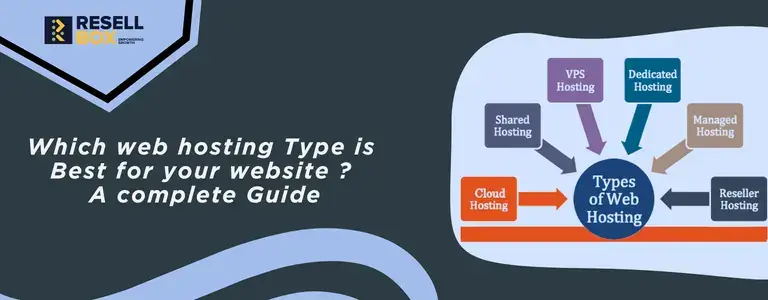
Understanding the types of web hosting helps you compare these options and select a plan that supports your website without paying for unnecessary resources.
What Is Web Hosting and How Does It Work?
Web hosting stores your website’s files, images, databases, and other content on a server connected to the internet. When someone visits your domain, the server delivers the requested content to their browser.
Before choosing a plan, consider these essential hosting requirements:
- Storage: Space for website files, images, databases, and other content
- Performance: Resources that help your website respond to visitor requests
- Security: Features that protect your website and its data
- Support: Assistance with technical issues and server maintenance
- Scalability: Options to increase resources as your website grows
What Are the Different Types of Web Hosting?
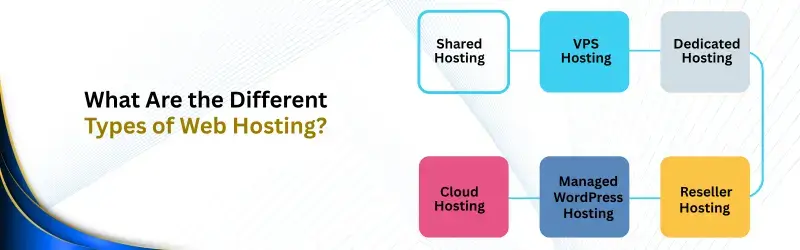
The different types of web hosting serve different needs, from small personal websites to resource-intensive applications. Each option offers a different balance of cost, control, performance, and maintenance.
1. Shared Hosting
Shared hosting places multiple websites on one physical server. These websites share server resources, making this option affordable for people launching smaller websites.
Key benefits:
- Low starting costs
- Easy setup and management
- Suitable for blogs and personal websites
- Server maintenance generally handled by the provider
Limitations:
- Resources are shared between websites
- Heavy server usage may affect performance
- Access to server configurations is limited
Best for: Beginners, personal blogs, portfolio websites, and small websites with modest traffic.
2. VPS Hosting
VPS hosting divides a physical server into separate virtual environments. Each environment receives allocated resources and offers more control than a typical shared hosting account.
Key benefits:
- Allocated CPU, memory, and storage
- Greater control over server settings
- Flexibility to install supported software
- Suitable for growing websites and applications
Limitations:
- Usually costs more than basic shared hosting
- Unmanaged plans require technical knowledge
- Server maintenance depends on the management package
Best for: Growing businesses, developers, and websites that need greater control or more predictable resource allocation.
3. Cloud Hosting
Cloud hosting runs websites using connected computing resources. Depending on the provider’s infrastructure, resources can be adjusted to accommodate changing workloads and traffic levels.
Key benefits:
- Flexible resource allocation
- Options for handling traffic increases
- Potential for improved availability through redundancy
- Suitable for changing workloads
Limitations:
- Costs may change with resource usage
- Pricing and configurations vary by provider
- Reliability depends on the infrastructure and setup
Best for: Online stores, growing businesses, and websites with fluctuating traffic or resource requirements.
4. Dedicated Hosting
Dedicated hosting provides an entire physical server for one customer. This gives the customer greater control over server resources, configurations, and software.
Key benefits:
- Exclusive access to physical server resources
- Greater configuration flexibility
- Suitable for demanding applications
- More control over server administration
Limitations:
- Higher costs than most entry-level hosting plans
- Greater responsibility for server management
- May require advanced technical expertise
Best for: High-demand websites, resource-intensive applications, and businesses with specific server requirements.
5. Managed WordPress Hosting
Managed WordPress hosting is designed for websites built with WordPress. Depending on the plan, the provider may handle updates, backups, security monitoring, and performance-related tasks.
Key benefits:
- WordPress-focused hosting configuration
- Simplified website maintenance
- Access to specialized support
- Tools for caching and performance optimization
Limitations:
- Some plans restrict plugins or configurations.
- Costs may be higher than basic hosting.
- Services and management features vary by provider.
Best for: WordPress bloggers, business websites, publishers, and website owners who prefer less technical maintenance.
6. Reseller Hosting
Reseller hosting allows you to purchase hosting resources and create separate hosting accounts for your customers. It is commonly used by freelancers, web design agencies, and businesses offering website services.
Key benefits:
- Manage multiple client hosting accounts
- Offer hosting under your own brand
- Add hosting to existing business services
- Avoid maintaining physical server hardware
Limitations:
- Customer accounts and billing require management.
- Support responsibilities depend on the provider.
- Available resources depend on the reseller plan.
Best for: Web design agencies, freelancers, and entrepreneurs who want to offer hosting to their clients.
Web Hosting Types Compared
Compare the main web hosting types to understand which option fits your website and technical requirements.
| Hosting type | Best suited for | Cost level | Technical expertise |
|---|---|---|---|
| Shared hosting | Personal websites and blogs | Low | Basic |
| VPS hosting | Growing websites and applications | Medium | Moderate to advanced |
| Cloud hosting | Websites with changing workloads | Varies | Basic to advanced |
| Dedicated hosting | Resource-intensive applications | High | Advanced |
| Managed WordPress hosting | WordPress websites | Varies | Basic |
| Reseller hosting | Agencies and hosting businesses | Low to medium | Moderate |
Note: Actual prices, resources, and support features depend on the hosting provider and selected plan.

Shared Hosting vs VPS Hosting: What Is the Difference?
Shared hosting and VPS hosting differ mainly in resource allocation, control, and cost.
Shared hosting:
- More affordable for smaller websites
- Requires less technical management
- Suitable for relatively simple hosting requirements
VPS hosting:
- Provides allocated resources
- Offers more configuration flexibility
- Better suited to websites with growing resource needs
When comparing cloud hosting vs shared hosting, consider how your website handles traffic changes. Shared hosting provides a simple starting point, while cloud hosting may offer more flexible resource allocation, depending on the provider.
Which Hosting Type Is Best for Your Website?
The best web hosting option depends on your website’s purpose, expected traffic, budget, and management requirements.
- Personal blogs: Shared hosting is often sufficient for getting started.
- Small businesses: Shared hosting or managed WordPress hosting may meet basic website requirements.
- Growing websites: VPS hosting offers more control and allocated resources.
- Online stores: VPS or cloud hosting may suit stores with demanding workloads.
- High-traffic websites: Cloud or dedicated hosting may be suitable, depending on resource requirements.
- Agencies and freelancers: Reseller hosting helps manage multiple client websites.
Choose a plan based on your current requirements and expected growth rather than selecting the most expensive option.
How to Choose Web Hosting for Your Website
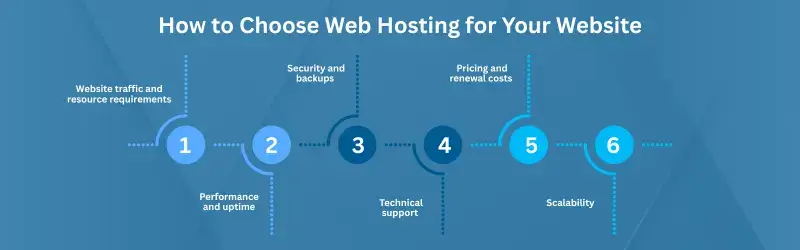
Knowing how to choose web hosting involves comparing more than the monthly price. Review these six factors before selecting a provider.
1. Website traffic and resource requirements
- Estimate your expected visitor numbers
- Check storage, memory, and processing requirements
- Consider whether your website runs resource-intensive applications
2. Performance and uptime
- Review the provider’s infrastructure and uptime commitments
- Check the available server resources
- Look for reliable performance information
3. Security and backups
- Check SSL support and security features
- Review backup frequency and retention options
- Confirm how website restoration works
4. Technical support
- Check support availability and response options
- Consider whether you need managed hosting
- Choose a plan that matches your technical skills
5. Pricing and renewal costs
- Compare introductory and renewal prices
- Review resource limits and additional charges
- Check migration fees and optional services
6. Scalability
- Look for straightforward upgrade options
- Consider how your resource needs may change
- Check whether migration assistance is available
These factors help you select a hosting plan that balances cost, performance, support, and flexibility.
Final Thoughts
Each hosting option serves a different purpose. Shared hosting suits smaller websites, VPS hosting offers more control, cloud hosting supports flexible resource allocation, and dedicated hosting provides an entire physical server.
Managed WordPress hosting simplifies routine maintenance, while reseller hosting supports businesses managing multiple client accounts. Compare your requirements, budget, and technical skills to choose a plan that works for your website today and as it grows.