Introduction
Running a small business involves much more than selling products or providing services. Business owners must manage finances, communicate with customers, coordinate employees, maintain an online presence and monitor daily operations. Handling everything manually can consume valuable time and increase the risk of mistakes.
This is where the right online tools for small business operations can make a meaningful difference. Modern digital solutions help businesses automate repetitive tasks, organize information, improve communication and make better decisions without necessarily hiring a large team or investing in expensive infrastructure.
In 2026, small businesses have access to a wide range of affordable and easy-to-use software. However, choosing too many applications can create unnecessary expenses and complicate workflows.
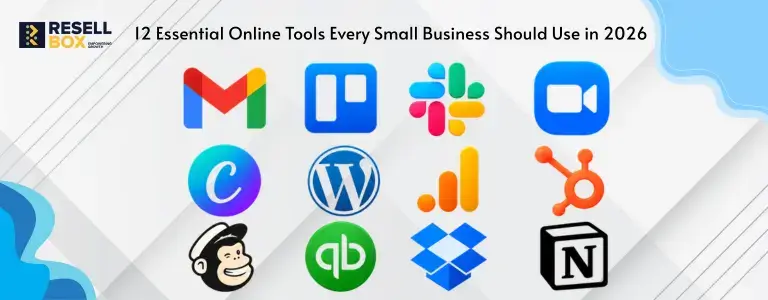
The goal is to identify the tools that solve real business problems. Here are 12 essential categories of tools that can help small businesses operate more efficiently, serve customers better and prepare for future growth.
1. Project Management Tools
When multiple employees work on different assignments, keeping track of deadlines and responsibilities can become challenging. Emails and messaging applications alone are often insufficient for managing complex projects.
Project management tools provide a central location for organizing tasks, assigning responsibilities, setting deadlines and monitoring progress.
Popular tools: Trello, Asana and ClickUp.
These platforms allow business owners to create task boards, establish project timelines and identify pending work. Team members can update task statuses, attach documents and communicate within specific projects.
For example, a digital marketing agency can use a project management platform to track content creation, design approvals, campaign launches and client feedback.
Why small businesses need them:
- Improve team coordination and accountability.
- Reduce missed deadlines and forgotten tasks.
- Provide visibility into ongoing projects.
- Help managers distribute workloads effectively.
Choose a tool that matches your team’s size and workflow instead of paying for advanced features you rarely use.
2. Accounting and Invoicing Software
Financial management is essential for every business, regardless of its size. Tracking expenses, preparing invoices and monitoring payments manually can become difficult as transactions increase.
Accounting software helps businesses organize financial records, create invoices, record expenses and understand their financial position.
Popular tools: Zoho Books, QuickBooks Online and TallyPrime.
Depending on the application and subscription, businesses may also access recurring invoices, payment reminders, financial reports and bank reconciliation features.
For Indian businesses, it is particularly useful to select software that supports applicable GST invoicing and tax reporting requirements.
Why small businesses need them:
- Maintain organized financial records.
- Reduce manual calculations and data-entry errors.
- Track unpaid invoices and outstanding payments.
- Simplify financial reporting and tax preparation.
Business owners should review financial reports regularly and maintain appropriate records rather than relying entirely on automated calculations.
3. Customer Relationship Management (CRM) Tools
Customer relationships directly influence sales, repeat purchases and long-term business growth. When customer information is scattered across spreadsheets, emails and personal devices, important opportunities can easily be missed.
Customer relationship management software, commonly called CRM, brings customer details, sales activities and communication histories into one system.
Popular tools: HubSpot CRM, Zoho CRM and Freshsales.
A CRM can help businesses record enquiries, assign leads to sales representatives, schedule follow-ups and monitor opportunities throughout the sales process.
For example, a service company receiving enquiries through its website, telephone and social media can use a CRM to maintain one organized record of potential customers.
Why small businesses need them:
- Keep customer information in one place.
- Improve lead tracking and follow-up.
- Identify sales opportunities.
- Build more consistent customer relationships.
Start with essential features such as contact management and sales tracking. Advanced automation can be introduced as the sales process becomes more complex.
4. Team Communication Tools
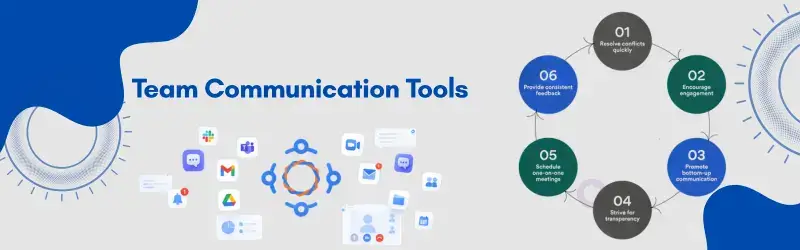
Clear communication helps teams resolve problems quickly and coordinate daily work. However, relying exclusively on long email conversations can make it difficult to find decisions, files and updates.
Team communication platforms provide dedicated spaces for discussions, quick messages, meetings and file sharing.
Popular tools: Slack, Microsoft Teams and Google Chat.
These applications can help employees communicate by department, project or topic. Many also integrate with calendars, task management systems and document-sharing platforms.
For businesses with remote or hybrid employees, these tools can reduce unnecessary meetings and make information easier to access.
Why small businesses need them:
- Keep work-related conversations organized.
- Improve collaboration across departments.
- Reduce dependence on scattered email threads.
- Support remote and hybrid working arrangements.
Establish clear communication guidelines so employees know which conversations belong in chat, email or project management systems.
5. Cloud Storage and File-Sharing Tools
Business documents, invoices, presentations, contracts and marketing assets need to remain accessible to authorized employees. Saving files only on individual computers creates problems when devices fail or employees work from different locations.
Cloud storage tools allow businesses to store files online, share documents and collaborate without repeatedly sending attachments.
Popular tools: Google Drive, Microsoft OneDrive and Dropbox.
Features vary by platform, but many offer file synchronization, access permissions, version history and collaborative editing.
For example, a sales team can share updated proposals while an accounting team maintains access to the financial documents it needs.
Why small businesses need them:
- Access files from different devices.
- Reduce duplicate versions of documents.
- Simplify collaboration and file sharing.
- Manage access to sensitive business information.
Use appropriate access controls and maintain independent backups of critical files. Cloud synchronization alone should not be treated as a complete backup strategy.
6. Email Marketing Tools
Email remains a useful channel for communicating with customers, announcing offers, sharing updates and building long-term relationships.
Email marketing software helps businesses create campaigns, organize subscriber lists, schedule messages and measure engagement.
Popular tools: Mailchimp, Brevo and MailerLite.
Depending on the platform, businesses can use templates, audience segmentation, automated welcome emails and campaign performance reports.
A local retailer, for example, can send product announcements to interested subscribers, while a service provider can share useful educational content with existing customers.
Why small businesses need them:
- Maintain regular communication with customers.
- Promote products and services to relevant audiences.
- Automate selected follow-up messages.
- Measure opens, clicks and campaign performance.
Build permission-based mailing lists, provide an unsubscribe option and follow applicable privacy and email marketing requirements. Avoid purchasing random email lists.

7. Social Media Management Tools
Social media can help small businesses increase brand awareness, share updates and communicate with prospective customers. Managing multiple platforms individually, however, can take considerable time.
Social media management tools help businesses plan content, schedule posts and review engagement from a central dashboard.
Popular tools: Buffer, Hootsuite and Later.
These applications can support publishing workflows, content calendars, account management and performance reporting. Available features depend on the platform and subscription.
A small business can prepare its weekly content in advance rather than interrupting daily operations to publish every post manually.
Why small businesses need them:
- Plan a consistent publishing schedule.
- Coordinate content across multiple channels.
- Reduce repetitive posting tasks.
- Identify content that attracts meaningful engagement.
Scheduling is only one part of social media management. Businesses should also respond to comments, answer customer questions and adjust content according to audience behaviour.
8. Website Building and Content Management Tools
A professional website gives customers a place to learn about a business, explore its services, read useful information and make enquiries. It can also support online sales and search engine visibility.
Website building and content management tools simplify the process of creating, updating and maintaining a business website.
Popular tools: WordPress, Wix and Squarespace.
These platforms offer different levels of customization, technical control and ease of use. WordPress, for instance, supports a broad ecosystem of themes and plugins, while hosted website builders often provide an integrated editing and publishing experience.
The right choice depends on the business model, technical requirements and future plans.
Why small businesses need them:
- Establish a professional online presence.
- Publish service pages, articles and business updates.
- Generate enquiries and support customer discovery.
- Expand website functionality as requirements change.
Businesses planning to establish a website should understand the difference between a domain name and hosting. A domain is the website’s address, while hosting provides the server resources needed to make its files and applications available online.

9. Search Engine Optimization (SEO) Tools
A website is more useful when potential customers can discover it through relevant search queries. Search engine optimization tools help businesses understand how their websites appear in search results and identify opportunities to improve visibility.
Popular tools: Google Search Console, Google Analytics and Semrush.
Google Search Console provides information about search performance, indexing and certain website issues. Google Analytics helps businesses understand how visitors interact with their websites. Semrush offers additional keyword research and competitive analysis features.
These tools serve different purposes, so businesses should select them according to their goals.
Why small businesses need them:
- Monitor website traffic and search performance.
- Discover relevant keyword opportunities.
- Identify technical and indexing problems.
- Understand which pages attract visitors.
SEO requires consistent effort. Publishing helpful content, improving page experience and monitoring results are generally more valuable than chasing short-term ranking tricks.
10. Graphic Design and Content Creation Tools
Visual content plays an important role in websites, advertisements, presentations, product promotions and social media campaigns. Small businesses may not always have the budget to employ a full-time designer.
Graphic design tools provide templates and editing features that help teams create professional-looking visual materials.
Popular tools: Canva, Adobe Express and Figma.
Canva and Adobe Express are useful for many everyday marketing assets, while Figma supports interface design and collaborative design workflows.
These platforms can help businesses maintain consistent branding across their marketing materials.
Why small businesses need them:
- Create social media posts and promotional graphics.
- Develop presentations and marketing documents.
- Maintain consistent brand colours and typography.
- Reduce the time needed for routine design tasks.
Templates are a starting point, not a substitute for brand consistency. Review layouts, text accuracy, image licensing and readability before publishing.
11. Cybersecurity and Password Management Tools
Small businesses often manage customer records, financial information, employee accounts and online services. Weak passwords, phishing emails and outdated software can put these resources at risk.
Cybersecurity tools help protect business accounts, devices and information against common threats.
Popular tools: Bitwarden, 1Password and Microsoft Defender.
Password managers help employees create and store unique passwords. Endpoint security software can provide protection against certain malicious files and activities. Multi-factor authentication adds another layer of account security.
Why small businesses need them:
- Reduce password reuse across business accounts.
- Improve protection against unauthorized access.
- Support safer employee access management.
- Reduce exposure to common cyber threats.
Businesses should also update software regularly, restrict administrative permissions and maintain tested backups. No single security tool can eliminate every risk.
12. Automation and Integration Tools
As a business grows, employees often repeat the same administrative activities: transferring information between applications, sending notifications, creating records and updating spreadsheets.
Automation tools connect applications and execute predefined workflows when specified conditions are met.
Popular tools: Zapier, Make and Microsoft Power Automate.
For example, a business can configure a workflow that creates a task when a customer enquiry arrives through a supported form. Another workflow might send a notification when an invoice is marked overdue.
The available integrations and automation limits vary by platform.
Why small businesses need them:
- Reduce repetitive manual work.
- Minimize errors caused by repeated data entry.
- Connect different business applications.
- Give employees more time for customer-facing activities.
Begin with one repetitive task, test the workflow carefully and monitor failures. Automating a poorly designed process can simply make mistakes happen faster.
How to Choose the Right Small Business Software
Having access to dozens of applications does not mean a business needs to use all of them. The best software stack is one that solves existing problems without creating unnecessary complexity.
Consider these factors before making a decision:
1. Identify the actual problem. Determine whether the business needs better customer tracking, faster invoicing, simpler collaboration or improved website performance.
2. Compare total costs. Check subscription charges, user limits, add-ons, storage restrictions and renewal pricing. Free plans can be useful, but some businesses eventually need paid features.
3. Evaluate ease of use. Software should make daily work easier. Consider whether employees can learn the system without extensive training.
4. Check integrations. Applications that exchange information reliably can reduce duplicate data entry and disconnected workflows.
5. Review security and support. Examine access controls, authentication options, data export facilities, backup policies and available support.
6. Plan for growth. Select solutions that can accommodate additional employees, customers, transactions or website traffic without requiring an immediate overhaul.
Most importantly, introduce new software gradually. Measure whether it saves time, reduces errors or improves results before expanding its use.
Conclusion
The right combination of digital tools can help small businesses improve productivity, manage finances, communicate effectively and provide a better customer experience. From accounting and project management to website management and cybersecurity, each category serves a different operational purpose.
However, successful adoption depends on choosing tools that address genuine needs rather than collecting as many applications as possible. Start with the most time-consuming business processes, compare suitable options and introduce new systems one step at a time.
A reliable digital foundation also includes a professional website, a suitable domain, dependable hosting and appropriate security measures. As a business grows, these essentials can support its wider technology and productivity strategy.
By making thoughtful software choices and reviewing them regularly, small businesses can build more organized operations and create a stronger foundation for sustainable growth in 2026 and beyond.