


Introduction
A website’s design is not just about colours, images, and layouts. The fonts used across its pages also influence how visitors read content, understand information, and perceive a brand. A clean, readable font can make a website feel professional, while a poorly chosen typeface can make even well-written content difficult to follow.
Choosing the best HTML fonts for websites involves more than selecting a font that looks attractive. Website owners and developers must consider readability, compatibility, loading speed, accessibility, and the overall purpose of the website.
Whether you are building a business website, an online store, a blog, or a personal portfolio, understanding website fonts can help you create a more consistent user experience.
In this guide, we explore popular fonts, explain the difference between web-safe fonts and web fonts, and share practical examples of how to use them with HTML and CSS.
What Are HTML Fonts?
HTML fonts refer to the typefaces displayed on a webpage. Although HTML provides the structure of a webpage, CSS is generally used to control how text appears, including its font family, size, weight, spacing, and colour.
For example, a website can use one font for headings and another for paragraphs. Headings may use a bold, distinctive typeface to attract attention, while body text can use a simpler font that remains comfortable to read.
A basic CSS example looks like this:
body {
    font-family: Arial, Helvetica, sans-serif;
    font-size: 16px;
    line-height: 1.6;
}

h1, h2, h3 {
    font-family: Georgia, serif;
}
In this example, Arial is used for the main content, while Georgia gives headings a more traditional appearance.
The browser displays the preferred font when it is available. If it cannot find that font, it moves to the next option in the font-family list.
Understanding this behaviour is important when choosing the best HTML fonts for websites, particularly when visitors use different operating systems and devices.

What Makes a Font Suitable for a Website?
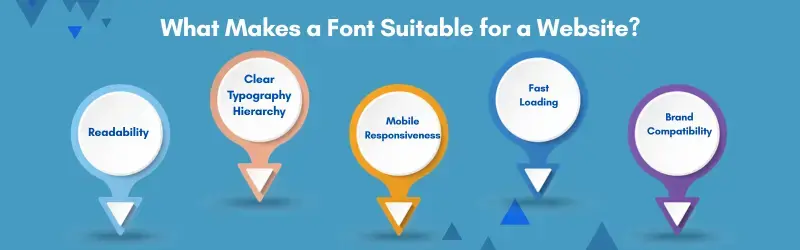
A font that looks excellent in a design mock-up may not work equally well across a complete website. Before selecting a typeface, consider these important factors.
Readability
Visitors should be able to read your content without unnecessary effort. Fonts with clear letter shapes, balanced spacing, and distinguishable characters are generally suitable for paragraphs, navigation menus, and product descriptions.
Compatibility
Not every device has the same fonts installed. Web-safe fonts provide a reliable starting point because they are commonly available across operating systems. Custom web fonts offer more design flexibility but require appropriate loading and fallback settings.
Brand identity
Typography contributes to the personality of a website. A financial consultancy may benefit from a clean, restrained font, while a creative portfolio may use a more expressive typeface for its headings.
Performance
Custom fonts must be downloaded when they are not already available in the browser’s cache. Loading several font families and unnecessary font weights can increase page weight and delay text rendering.
Accessibility
Text must remain easy to read for visitors with different visual needs. Adequate font size, strong contrast, sensible line spacing, and layouts that adapt to screen sizes all contribute to a better experience.

Best HTML Fonts for Websites
There is no single font that works perfectly for every website. The right choice depends on the content, audience, design, and technical requirements.
Here are some popular options worth considering.
1. Arial
Arial is a widely recognised sans-serif font suitable for business websites, landing pages, online stores, and informational blogs. Its familiar appearance makes it a practical choice for everyday reading and interface elements.
Best for: Business websites, general content, forms, and navigation menus.
2. Roboto
Roboto is a sans-serif typeface designed for digital interfaces. Its clean structure makes it useful for websites that need a modern, functional appearance. It works well for headings, paragraphs, buttons, and dashboard interfaces.
Best for: Technology websites, applications, SaaS platforms, and modern business websites.
3. Open Sans
Open Sans is designed for clarity and works well across different screen sizes. It is particularly useful for websites that publish detailed information or longer articles. Its straightforward appearance makes it easy to combine with many heading fonts.
Best for: Blogs, educational websites, business pages, and documentation.
4. Lato
Lato has a friendly, balanced appearance that can make a website feel approachable without looking overly casual. It is a versatile choice for brands that want a contemporary design with readable body text.
Best for: Corporate websites, service businesses, portfolios, and landing pages.
5. Inter
Inter was designed with digital interfaces in mind. Its clean letterforms and broad range of available weights make it suitable for modern websites and applications. It can create a consistent visual system across headings, navigation, buttons, and body content.
Best for: SaaS websites, technology businesses, dashboards, and product interfaces.
6. Poppins
Poppins is a geometric sans-serif font with a distinctive, modern appearance. Its strong visual character makes it especially useful for headings and short blocks of text. For lengthy paragraphs, test its readability at your intended size before using it throughout the website.
Best for: Creative agencies, promotional pages, startup websites, and display headings.
7. Montserrat
Montserrat has a bold, contemporary style that works well for prominent headings and brand-focused layouts. It can help establish a strong visual hierarchy, although its heavier weights may be less suitable for dense body copy.
Best for: Hero sections, marketing websites, portfolios, and campaign landing pages.
8. Georgia
Georgia is a serif font designed to remain readable on screens. Its traditional appearance gives written content a more editorial feel.
It is a dependable option for websites that prioritise long-form reading.
Best for: Articles, editorial websites, literary blogs, and content-heavy pages.
9. Times New Roman
Times New Roman is a traditional serif typeface that is widely available on computers. It can be useful where a formal, familiar appearance is required.
However, its visual style may not suit every modern website design.
Best for: Formal documents, text-heavy pages, and traditional editorial layouts.
10. Verdana
Verdana was designed for screen readability, with relatively wide characters and generous spacing.
These characteristics can help make small text easier to distinguish, although the font may occupy more horizontal space than other options.
Best for: Informational websites, help pages, instructions, and interfaces that prioritise clarity.
Web-Safe Fonts vs. Google Fonts
When comparing the best HTML fonts for websites, it helps to understand the difference between web-safe fonts and externally loaded web fonts.
Web-safe fonts are commonly available on users’ devices. Examples include Arial, Georgia, Verdana, and Times New Roman. They are simple to implement and do not normally require a separate font download when already installed.
Google Fonts for websites provides a large collection of typefaces that can be loaded through Google’s font service or downloaded and hosted on your own server, subject to the font’s licence.
| Feature | Web-safe fonts | Google Fonts |
|---|---|---|
| Font selection | Familiar, common options | Extensive font library |
| External download | Usually unnecessary if installed | Generally required unless cached or self-hosted |
| Design flexibility | More limited | Greater variety of styles and weights |
| Performance | Often lightweight | Depends on font files and loading strategy |
| Brand customisation | Moderate | Broader options |
Neither option is automatically better in every situation. Web-safe fonts can be sufficient for simple websites, while custom web fonts provide more control over branding and visual identity.
The important consideration is choosing an appropriate font and implementing it efficiently.
How to Use HTML Fonts with CSS
You do not need to modify the HTML structure of every paragraph to change your website’s typography. CSS lets you define a consistent font system across the entire site.
Method 1: Use a web-safe font
The following example uses Arial with sensible fallback options:
<p class="website-text">
    Welcome to our website. Explore our services
    and learn more about what we offer.
</p>
.website-text {
font-family: Arial, Helvetica, sans-serif;
font-size: 16px;
line-height: 1.7;
color: #333333;
}The browser attempts to use Arial first, then Helvetica, and finally a suitable sans-serif font available on the device.
Method 2: Load a Google Font
You can load a font such as Roboto through Google Fonts by adding a stylesheet link to the document’s HTML head.
<link rel="preconnect" href="https://fonts.googleapis.com">
<link rel="preconnect" href="https://fonts.gstatic.com" crossorigin>

<link href="https://fonts.googleapis.com/css2?family=Roboto:wght@400;500;700&display=swap"
      rel="stylesheet">
Then apply the font through CSS:
body {
    font-family: "Roboto", Arial, sans-serif;
    font-weight: 400;
}

h1, h2, h3 {
    font-weight: 700;
}
The display=swap setting allows the browser to show fallback text while the custom font loads, rather than unnecessarily hiding the text during loading.
When implementing Google Fonts for websites, request only the font weights and styles you actually use. This helps avoid downloading unnecessary font files.
Method 3: Use a font stack
A font stack specifies a preferred font followed by alternatives.
body {
    font-family: "Inter", "Helvetica Neue", Arial, sans-serif;
}
If Inter is unavailable or fails to load, the browser can use another font from the list.
A carefully selected font stack helps maintain readable text even when a custom font cannot be retrieved.
How to Choose the Right Font Pairing
Using two complementary fonts can make a website more visually interesting without creating unnecessary complexity.
A common approach is to choose one font for headings and another for body text. The fonts should contrast enough to establish hierarchy while remaining visually compatible.
Here are a few combinations to try:
- Roboto + Open Sans: A clean, practical combination for business and technology websites.
- Montserrat + Open Sans: Strong headings paired with readable body text for marketing pages.
- Playfair Display + Lato: An editorial heading style with a straightforward sans-serif body font.
- Georgia + Arial: A simple combination using widely available system fonts.
- Poppins + Inter: A contemporary pairing for startup websites and digital products.
These combinations are starting points rather than fixed rules. Test them using actual website content, including long headings, paragraphs, buttons, and navigation labels.
For consistency, limit the number of font families and weights used across the site. Two families are often enough for most websites.
Best Practices for Website Typography
Choosing a suitable font is only the first step. Applying it consistently is equally important.
Use readable font sizes
For many websites, 16 pixels is a reasonable starting point for body text. Headings should be larger and should follow a clear hierarchy.
The ideal size depends on the typeface, audience, layout, and viewing distance. Test the design on both desktop and mobile screens.
Maintain comfortable line spacing
Tightly packed lines make paragraphs difficult to scan. A line-height value between 1.5 and 1.7 is a useful starting point for body text.
For example:
p {
    line-height: 1.6;
}
Avoid excessive font weights
Loading every available weight may increase the number and size of font resources. Use the weights needed for body text, emphasis, and headings.
Ensure sufficient contrast
Text should stand out clearly against its background. For normal-sized text, WCAG guidance generally recommends a contrast ratio of at least 4.5:1. Avoid using pale grey text on white backgrounds for essential content.
Test on different devices
A font that looks balanced on a desktop monitor may feel cramped on a mobile phone. Check line breaks, navigation menus, button labels, and paragraph width at different viewport sizes.
Optimise font loading
For self-hosted fonts, modern WOFF2 files are generally a good choice because they provide efficient compression. Consider preloading only critical font files and using appropriate font-display settings.
Keep typography consistent
Define reusable CSS styles instead of assigning unrelated fonts to individual sections. A consistent typography system makes future design updates easier and helps the website feel cohesive.
How Website Fonts Affect User Experience and SEO
Fonts are not a direct ranking shortcut. Using a popular typeface will not automatically improve a website’s position in search results.
However, typography can influence several aspects of the experience that matter to website visitors.
First, readable content makes it easier for people to understand products, services, and articles. Second, a consistent visual hierarchy helps visitors identify important information. Third, efficient font loading can contribute to better page performance.
These factors support a website that is easier to use and navigate.
Font implementation can also affect layout stability. If a fallback font and a custom font have significantly different dimensions, text may shift when the custom font loads. Choosing compatible fallbacks and optimising font delivery can help reduce these changes.
For website owners, the objective should be to balance visual appeal, accessibility, readability, and performance rather than focusing on typography in isolation.
Common Font Mistakes to Avoid
Even an attractive website can become difficult to use when typography is poorly implemented.
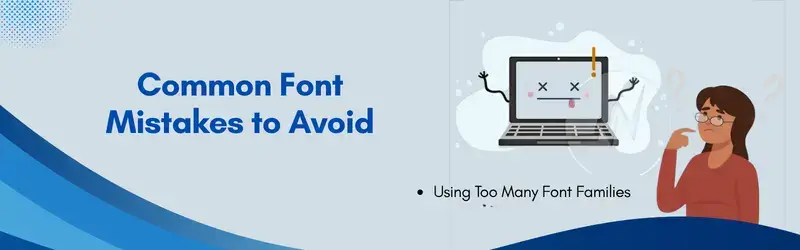
Watch out for these common mistakes:
- Using too many fonts: Multiple unrelated typefaces can make a website feel inconsistent.
- Choosing style over readability: Decorative fonts may look appealing in headings but can be difficult to read in paragraphs.
- Ignoring mobile screens: Long headings and wide characters can create awkward line breaks on smaller devices.
- Loading unnecessary weights: Extra font files can increase page weight without providing meaningful design benefits.
- Forgetting fallback fonts: A missing font should not leave visitors with an unsuitable or difficult-to-read experience.
- Using low-contrast text: Text that blends into its background reduces accessibility.
- Applying fonts inconsistently: Different typography rules across similar sections can weaken the overall design.
Review your typography alongside page layout, colour contrast, and loading performance to identify issues that may otherwise go unnoticed.
Conclusion
The best HTML fonts for websites are those that support the website’s purpose, remain readable across devices, and fit the brand’s visual identity.
Arial, Roboto, Open Sans, Lato, and Inter are useful options for modern digital experiences. Georgia and Verdana provide dependable alternatives for websites that prioritise long-form reading and clarity. Meanwhile, fonts such as Poppins and Montserrat can help create more distinctive headings and marketing layouts.
Start with a small selection of typefaces, establish a consistent hierarchy, and test your choices using real content. Pay attention to mobile readability, font loading, accessibility, and fallback behaviour before finalising the design.
A well-planned typography system does not need to be complicated. When fonts are chosen carefully and implemented correctly, they help create a website that looks professional and makes information easier to understand.